Audio Cable: Virtual Microphone Mixer
Productivity
Online Meetings
Music & Audio
Browser Tools
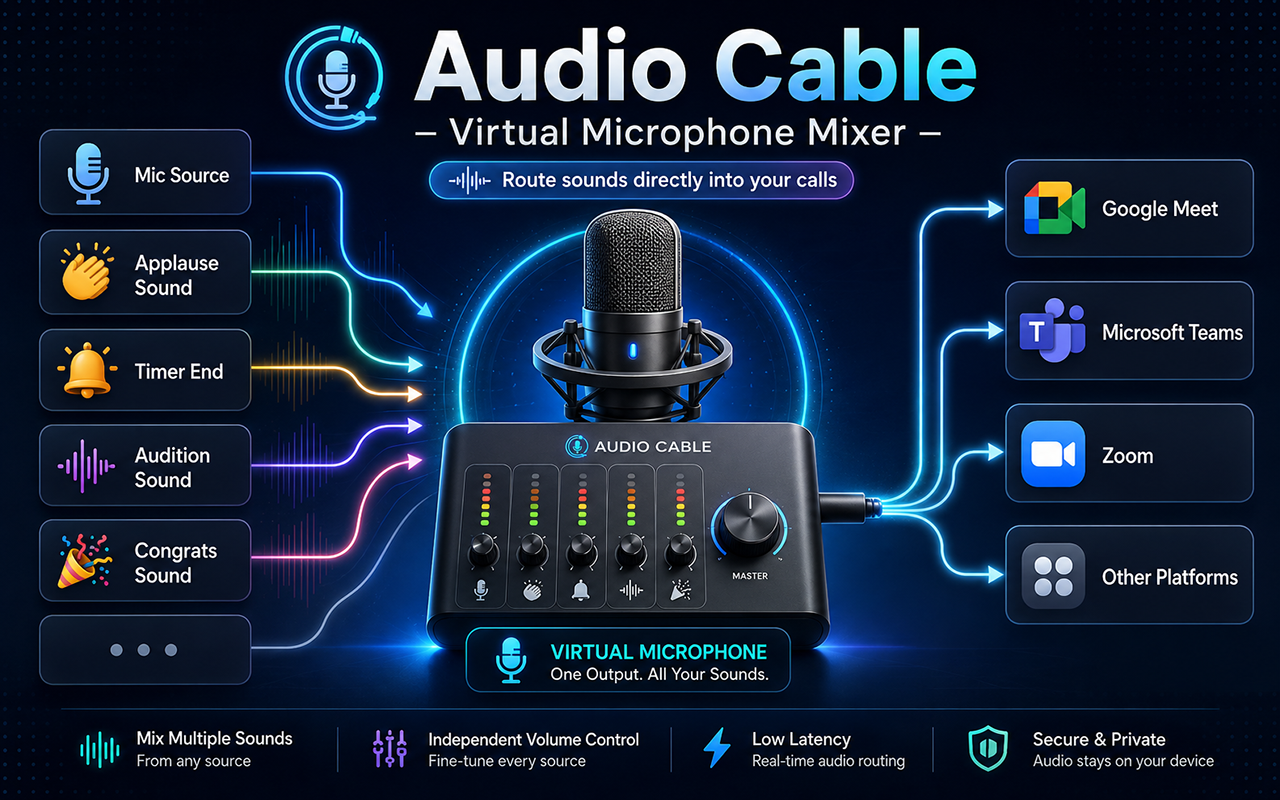
Route sound effects, music, and your microphone into any browser call
Mix multiple sounds into one virtual microphone with no desktop app or drivers
- Audio Cable Virtual Mic appears alongside your real microphones in Zoom, Google Meet, Discord, Microsoft Teams, Whereby, and other web communication tools.
- Choose any installed physical microphone as your voice source and route it through the virtual mic.
- Upload MP3, WAV, OGG, and other audio files, then organize them with custom names, tags, categories, list view, grid view, and search.
- Start with a curated set of ready-to-use sounds on first install.
- Play any asset and it is instantly mixed with your live microphone feed.
- Adjust volume per asset and loop continuous background sounds when needed.
- Monitor the full mixed output in your headphones without feeding it back into the virtual mic.
- All processing happens locally in the browser with the Web Audio API, and uploaded files stay in IndexedDB.
- Install the extension and allow microphone access so Chrome can label available audio devices.
- Select the physical microphone you want to use as your voice source.
- Use the included sounds or upload your own audio files to the local asset library.
- Open your meeting app and choose Audio Cable Virtual Mic in audio settings.
- Trigger sounds while you speak; the meeting receives one mixed MediaStream.
- Streamers and content creators can play sound effects, jingles, or background music into live streams without a hardware mixer.
- Podcasters can trigger intros, transitions, or ambient sound mid-recording.
- Remote teams can add sound effects or play hold music when stepping away.
- Language teachers and learners can play clips directly into lessons without screen sharing.
- Accessibility workflows can route pre-recorded speech or text-to-speech output into a call.
- Works entirely in-browser with no desktop app, drivers, or virtual audio cable software.
- Patches getUserMedia and enumerateDevices before page scripts run, then returns a real mixed MediaStream when the virtual mic is selected.
- Appears on any website that calls getUserMedia; no site-specific configuration is needed.
- Some meeting apps may filter non-voice audio; disabling noise suppression usually resolves that.
Route your mic, sound library, and music into one browser-call microphone.
Share Audio Cable with creators, teachers, podcasters, and remote teams who need live audio mixing.
 Audio Recorder: Free & Unlimited Recordings
Capture audio from your browser and auto-download it directly to your computer in your preferred format (MP3, WebM, WAV).
 Record Meetings on Zoom, Microsoft Teams, Google Meet & more
Record meetings in one click. Original-quality video, local files, crash-safe, built-in AI noise suppression.
 Noise Cancelling App
AI mic noise cancellation for calls, streams, and recording. Share with friends to enjoy clear sound in every conversation!
New extension page. Chrome Web Store reviews will appear after publication.
Jun 4, 2026