Blog
Easy webcam background blurring for Effortless Communication
Elevate Your Video Calls with Webcam Filters: Introducing The AI Webcam Effects
Ideas for your virtual backgrounds
How to Look Better on Video Calls in Zoom, Google Meet, Skype, Microsoft Teams, and Others
Better Your Online Meetings with AI Webcam Effects
Modify Your Video Calls with Custom Backgrounds with AI Webcam Effects
How to upgrade Home Office. Transform Your Workspace with AI Webcam Effects
Boosting Confidence: Leveraging Beauty Filters in AI Webcam Effects for Video Calls
Best Chrome Extensions for Google Meet
Best Audio Tools for Google Chrome

Best Audio Tools for Google Chrome
We use our browsers every day to access audio content such as videos, music, podcasts, webinars, and meetings. Our team builds and uses some Chrome extensions that enhance the browser's audio experience, and we would like to introduce them.
Contents:
- Noise Cancelling App
- Audio Recorder: Free & Unlimited Recordings
- Background Noise Remover
- AI Noise Cancellation For Listeners
- Audio Cable
- Sound Booster - Boost My Bass
- Music Identifier
- Music Equalizer & Bass Booster
- Transkriptor Transcribe Audio to Text
- YouTube DJ effects / EQ / Volume Booster / Bass Booster
- Privacy and Security with installed extensions

Noise Cancelling App
Virtual microphone with AI noise cancellation
Chrome Web Store page, Users: 30000, Rating 4.8
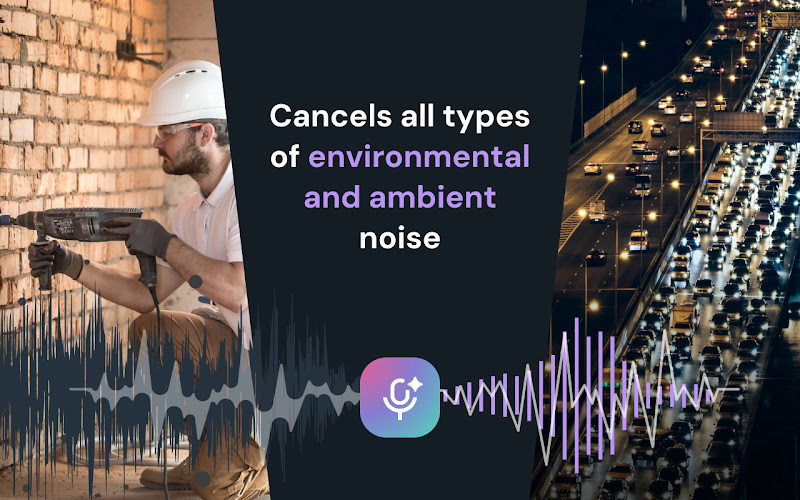
AI-powered noise cancellation for meetings, calls, livestreams, and recordings.
Install it from the Chrome Web Store and enable it in your microphone settings.
We are sometimes stuck in a noisy environment during meetings, lessons, or recording something. It might be any outdoor or indoor noise, like barking dogs, traffic noise, keyboard clicks, and even hardware hiss.
This Chrome extension successfully filters everything out without any effort from your side. It uses cutting-edge AI technology powered by Effects SDK and instantly eliminates unwanted sounds, ensuring that only the speaker's voice is heard.
Main features:
Real-Time AI Noise Cancellation: Instantly remove background noise from your mic audio, including voices, pet sounds, weather and mechanical noises.
Plug-and-Play Simplicity: Select "Background Noise Remover" in your platform's audio settings. No technical expertise or complex configurations required.
Seamless Platform Integration: Works flawlessly with Zoom, Google Meet, Discord, Twitch, YouTube Live, and all other microphone-using websites and applications.
Cost-Effective Audio Enhancement: Achieve professional audio quality without investing in expensive hardware or software. Noise Cancelling App provides a free, high-quality alternative to premium noise suppression solutions.
Microphone Selection: Choose the specific microphone you want to denoise, perfect for users with multiple audio inputs.
Pricing:
Free
Free

Audio Recorder: Free & Unlimited Recordings
Record audio from any browser tab
Chrome Web Store page, Users: 5000, Rating 4.7
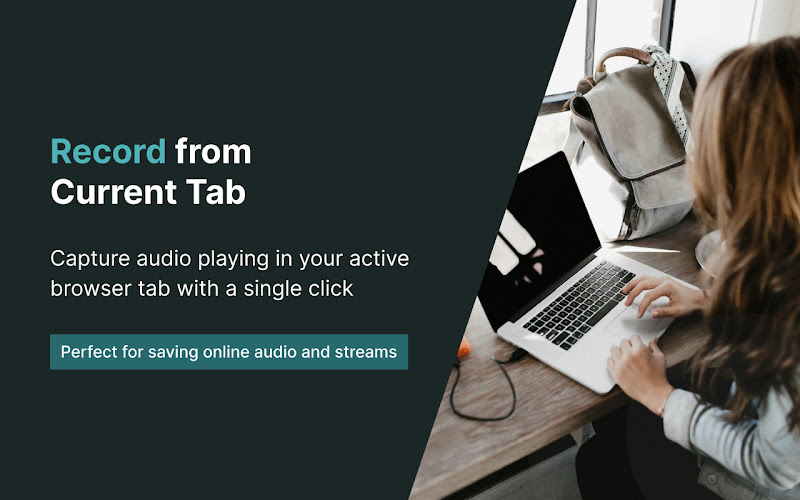
Whether you're preparing a meeting summary, gathering ideas from a past conference, or just want to listen to any web audio offline, browser audio recording extensions will be very useful.
The Audio Recorder extension allows you to record audio from any browser tab in the "background" mode without being distracted from other actions. Just don't forget to stop recording when the audio finishes!
Main features:
Record from Current Tab: Capture audio playing in your active browser tab with a single click.
Multiple Download Formats: Save your recordings in widely compatible MP3, efficient WebM, or high-fidelity WAV formats.
Easy One-Click Operation: Start, stop, and download your audio recordings quickly and intuitively within your browser.
Local Storage: Your recordings are saved directly to your local storage, ensuring privacy and easy access.
Mute the recorded tab: Record any tab in the “background” mode.
Unlimited Recordings & Duration: Capture all the audio you need, with no limits on the number or length of your recordings.
Pricing:
Free
Free

Background Noise Remover
AI Audio Denoiser for local video and audio files
Chrome Web Store page, Users: 1000, Rating 5.0
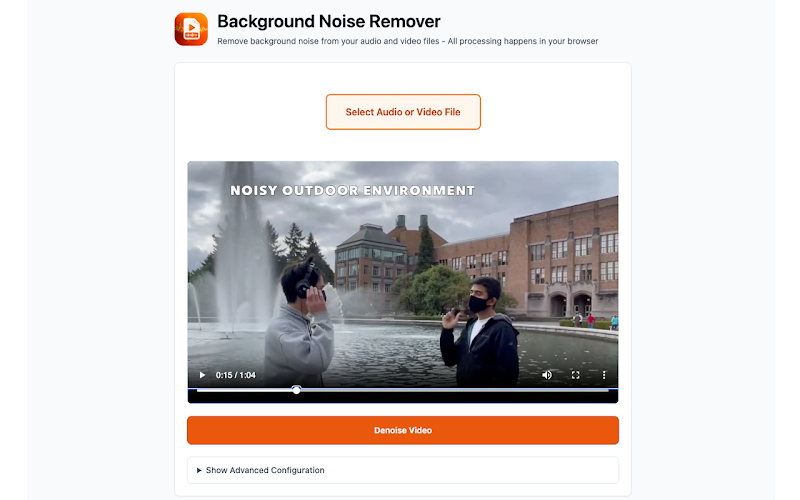
Videos recorded with a phone camera or digital camera often contain a lot of background noise. Sometimes this noise helps convey the atmosphere of the location where the video was recorded, but more often than not, it becomes distracting when listening to speech. In this case you might want to remove it.
This extension can help you. It is a browser-based AI-powered noise removal tool that helps eliminate background noise from your media files—such as hissing, humming, fan or air conditioner noise, keyboard clicks, room echoes, and street traffic noise—while preserving speech clarity.
Main features:
Denoise video audio in one click: Select a file and press Process Media.
On-device noise reduction: Your media stays on your computer (no server uploads).
AI noise suppression for speech: Improves voice clarity and reduces background noise.
Fast audio cleanup: Up to 10X faster than playback (depends on hardware/codec)*.
Works with common formats: MP4, MOV, MKV, WebM and more (containers/codecs vary).
Preview before export: A/B switch to compare original vs denoised audio.
Pricing:
Free
Free

AI Noise Cancellation For Listeners
Filter out the noise while you listen
Chrome Web Store page, Users: 3000, Rating 4.7
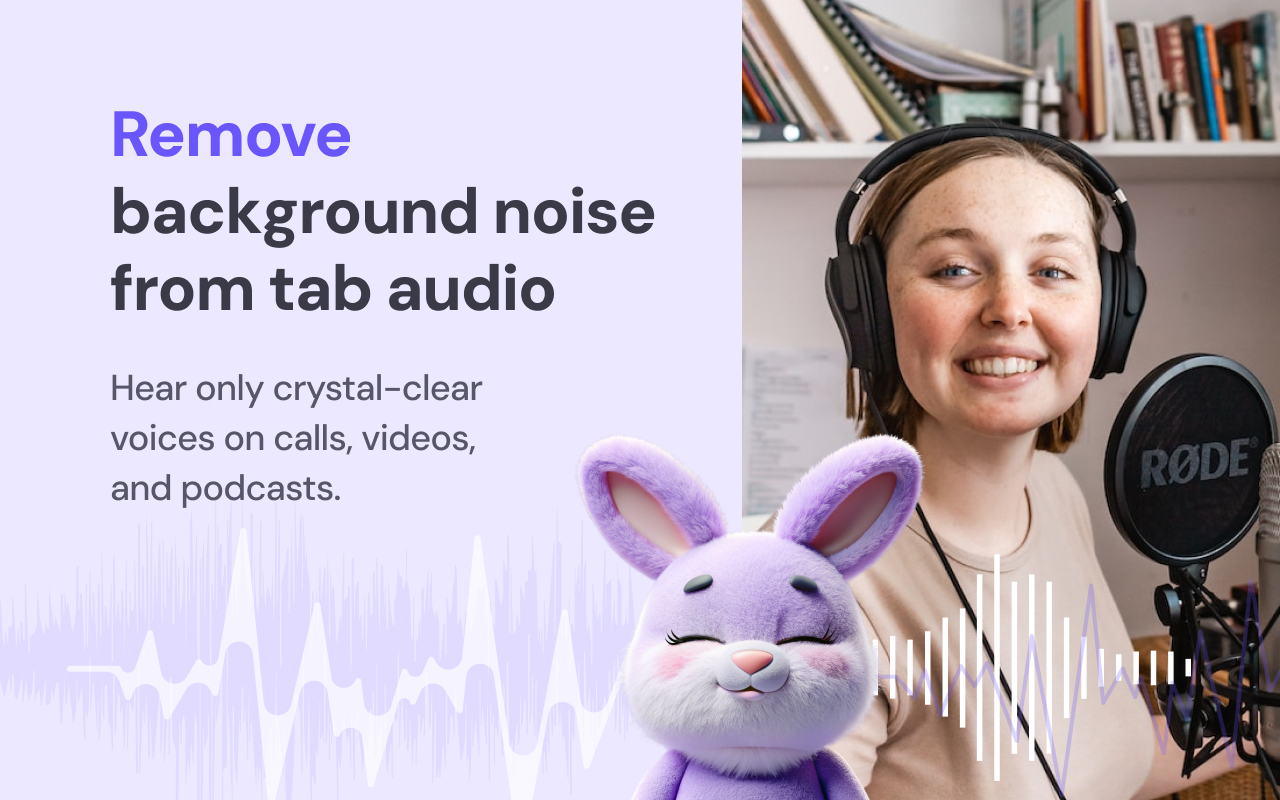
Whether a livestreamer is broadcasting from a noisy location or a coworker's background noise is ruining a meeting, AI Noise Cancellation For Listeners can help.
It's like the Background Noise Remover extension, but for real-time. AI Noise Cancellation For Listeners processes the sound you listen to. The original stream stays untouched — you just hear the cleaned, voice-only version of the audio.
Main features:
Real-Time AI Noise Suppression: isolates voices while removing background sounds.
Works on Any Site: cleans audio from any tab that plays sound.
One-Click Control: press Start to enable, Stop to return to the original audio.
Lightweight & Efficient: designed for smooth playback while you browse.
Pricing:
Free
Free

Audio Cable
Simple and light-weight audio microphone mixer
Chrome Web Store page, Users: 118, Rating 3.7
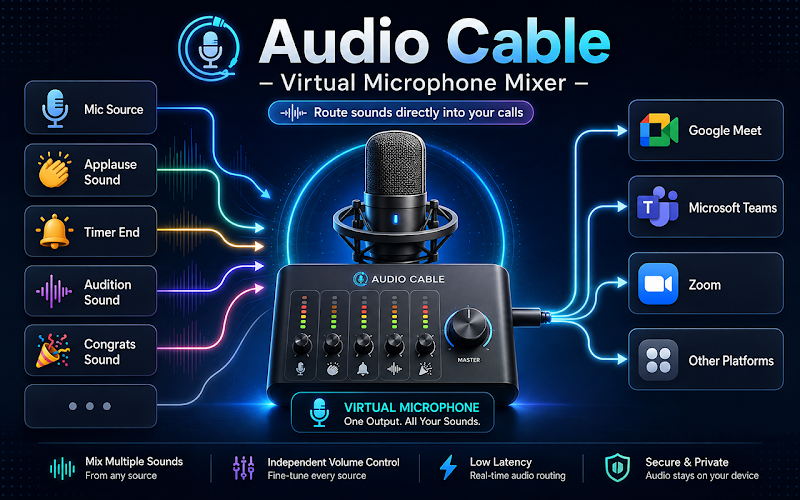
This is a new creation from one of our audio enthusiasts. He took a virtual microphone for Chrome, added a simple audio mixer, and created a pretty clean side panel for controlling them.
This lightweight extension lets you add background sounds and play attention-grabbing or fun sounds during your online calls or conferences. The app has a small library of free sounds and also allows you to add your own audio files.
Main features:
Mix a real microphone with audio assets: Speak through your physical mic while playing sounds into the same audio stream in real time.
Monitor what others hear: Enable local monitoring to hear the final mixed output in your headphones before or during a call.
Support various audio file formats: Add MP3, WAV, OGG, and other browser-supported audio files to your personal library.
Organize sounds with tags and categories: Name, tag, search, filter, and organize your audio assets in list or grid view.
Loop background sounds: Loop selected assets for continuous background music, ambience, or soundscapes.
Local-first and private: Your audio files stay in your browser storage. Audio processing happens locally using browser audio APIs. No cloud account is required.
Pricing:
Free
Free

Sound Booster - Boost My Bass
Boost your video and music volume sound
Chrome Web Store page, Users: 100000, Rating 4.8
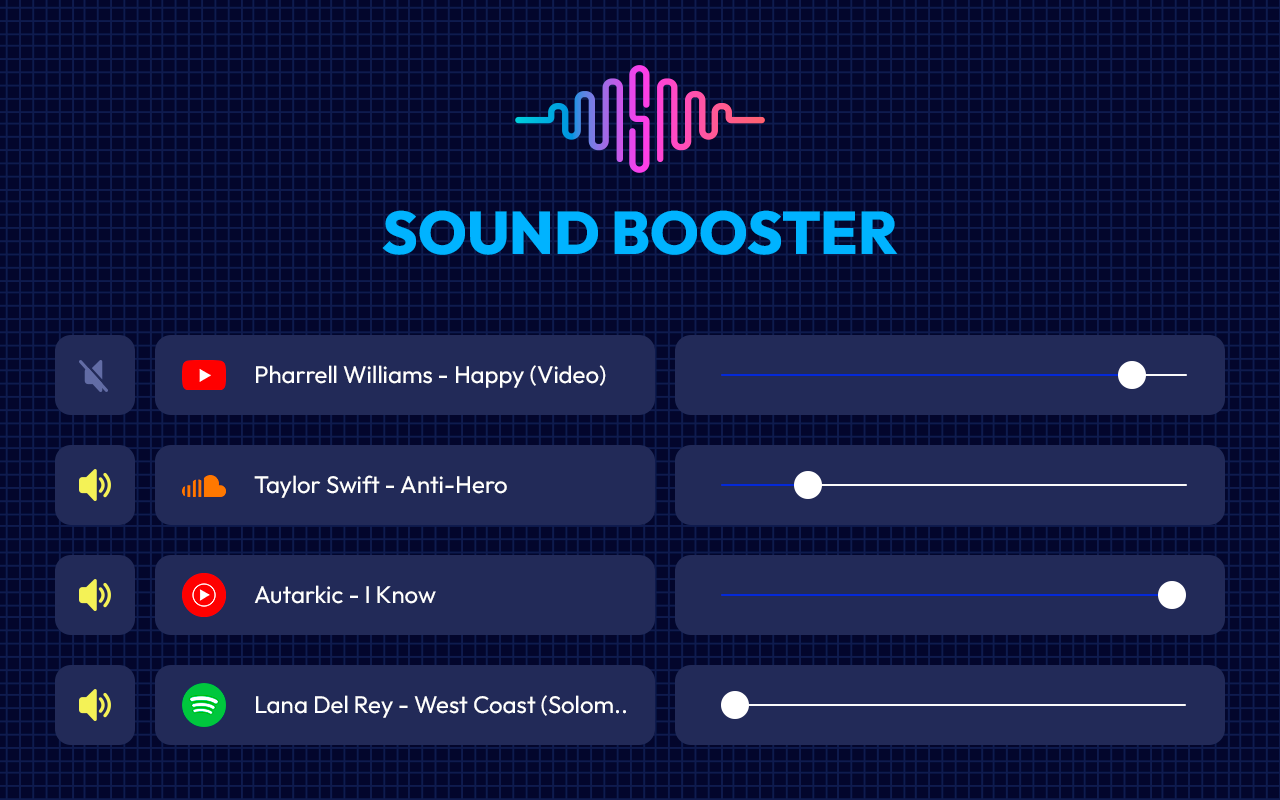
This extension provides an easy and quick way to boost the sound from speakers or headphones. Additionally, the sound amplifier helps make movies, videos, and music louder. It's free and trusted by many users.
This is a simple, but very useful extension when you're stuck on too silent online videos and audio.
Main features:
Works with any tab: Control the sound for any browser tab separately.
Maximum boost: Bass boost to the full. Volume booster boosts by 600%.
Mute any tab: Turn on and off the sound on any tab with one click.
Lightweight and private: Everything works locally. No registration is required.
Pricing:
Free
Free

Music Identifier
Find any song from browser
Chrome Web Store page, Users: 100000, Rating 4.6
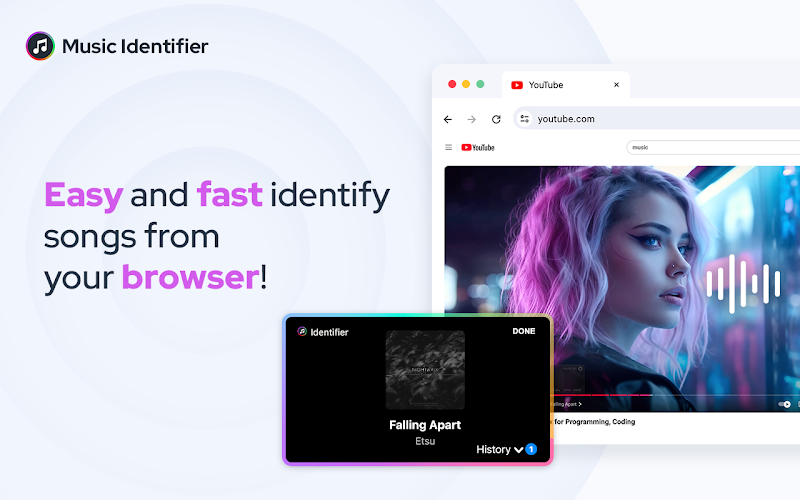
This extension is a great alternative to Shazam for identifying music you hear in streams, intros, moves, and so on. It allows you to easily discover music across multiple streaming platforms and find tracks to add to your favorites.
Main features:
Identify any songs playing from your browser tab.
Access history of browser songs anytime.
Get lyrics, music videos and more with a click.
Shows links to listen to the songs on Apple Music, Spotify, Deezer, YouTube Music.
Pricing:
Free
Free

Music Equalizer & Bass Booster
Sound Enhancer for Chrome
Chrome Web Store page, Users: 500000, Rating 4.8
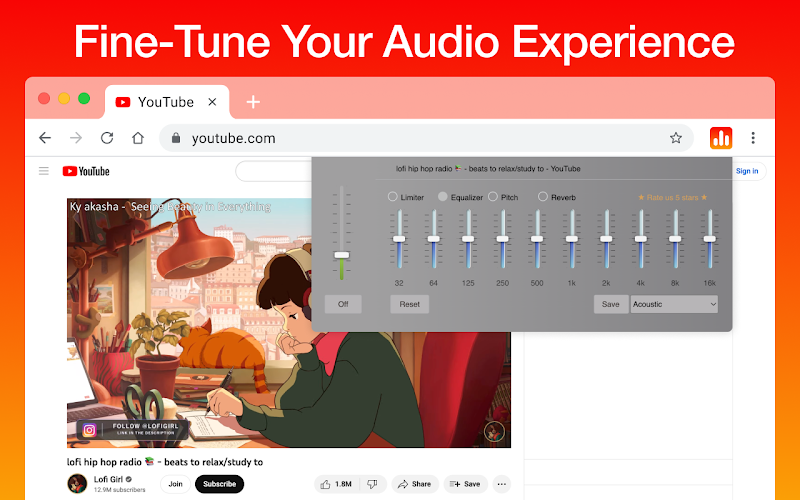
Yet another extension for advanced browser sound tuning and audio stream equalization. It works with any website and offers an equalizer with genre-based presets, a powerful bass booster, and a clear interface.
Main features:
Bass booster for deeper, richer sound.
Presets for genres like rock, jazz, dance, acoustic, Latin, and more.
Volume control and 10-band equalizer sliders.
Easy and one-click sound enhancement.
Auto-disable in normal mode.
Pricing:
Free
Free

Transkriptor Transcribe Audio to Text
Convert audio to text notes
Chrome Web Store page, Users: 100000, Rating 4.7
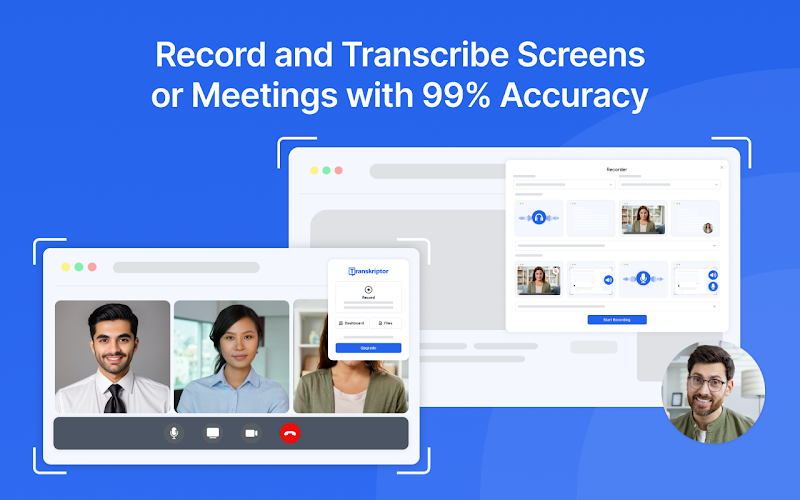
Speech-to-text services are an important part of our lives and businesses. Whether you're taking notes, creating content, or organizing calls and meetings, these services can greatly increase your productivity and simplify your life.
Transkriptor is a feature-rich extension that can capture and transcribe audio from a browser tab, an entire screen, or an uploaded file. It supports many languages and offers many useful features at reasonable prices.
Main features:
Speech-to-text transcription for meetings, classes, and interviews.
Perfect transcription accuracy.
Integrated note-taking and in-line commenting.
Subtitle generation and export options.
Secure storage in-browser or in the cloud.
Export to various formats, such as TXT, SRT, and Word.
Pricing:
Free trial — up to 300 minutes for test features. Lite plan — $9.99 per month. Pro plan — up to $8.33 per month.
Free trial — up to 300 minutes for test features. Lite plan — $9.99 per month. Pro plan — up to $8.33 per month.

YouTube DJ effects / EQ / Volume Booster / Bass Booster
Tune and mix a website sound
Chrome Web Store page, Users: 100000, Rating 4.2
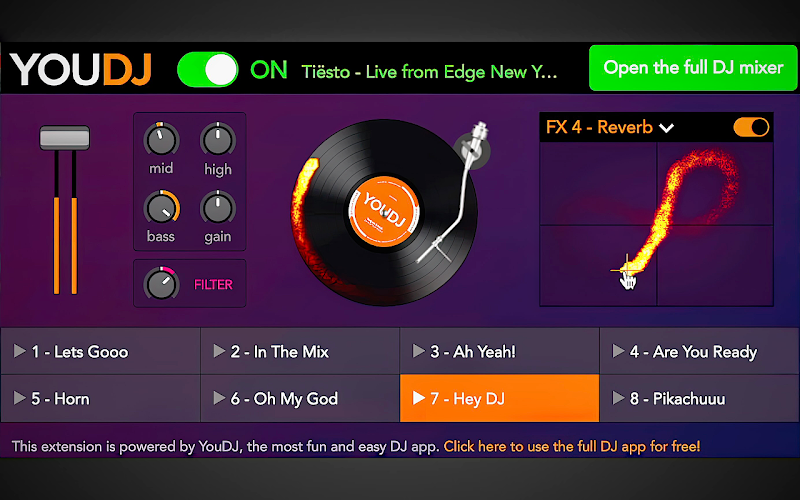
It's one of the most enjoyable extensions we've encountered. We don't use it for work, just for fun. If you want to feel like a DJ, YouTube DJ Effects is the easiest way to do it. Despite its title, this extension isn't limited to YouTube; like the other extensions in this article, it works on any website with audio.
Main features:
Equalizer and volume boost controls for browser audio.
Bass booster for richer sound while listening to music or watching videos.
One-click sound tuning for fast and convenient audio adjustments.
Works with music and video tabs, including streaming content and browser audio.
Pricing:
Free
Free
Privacy and Security with installed extensions
Due to the fact that Google reviews extensions before they’re published on the Chrome Web Store and continuously monitors them after publication, you can be sure that extensions installed from the Chrome Web Store and that have no warnings on the Chrome browser's Safety Check are generally safe. Nevertheless, we always recommend reviewing extension information before installing it. The Chrome Web Store provides enough information about each extension and its developer. Extensions that follow the best practices are usually awarded the Verified and Featured badges by the Chrome Web Store team. Always check the permissions requested by an extension and how they compare to its goals.
Audio extensions typically request the "Read and change all your data on all websites" permission because they need to access and modify audio streams on the websites you visit. Limiting the sites with granted permissions is a good practice.
For more safety, we would recommend regularly doing the following:
- Uninstall extensions that you no longer use.
- Review the description of an extension in the Chrome Web Store. Keep in mind that ratings, reviews, and privacy practices can change over time.
- Limit the sites an extension has permission to work on.