Noise Cancelling App User Guide
Learn how to use Noise Cancelling App, solve common issues, and get support.
How to remove background noise with Noise Cancelling App
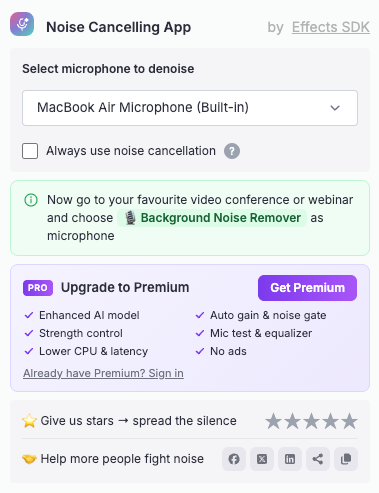
1. Click the puzzle icon in the top-right corner of your browser and select Noise Cancelling App.
2. Select the microphone you want to denoise. Enable "Always use noise cancellation" to keep it on for every call.
3. Open your video conference, webinar, or recording website.
4. In its audio settings, choose "Background Noise Remover" as your microphone.
If Noise Cancelling App is not working properly, try the following:
1. Make sure "Background Noise Remover" is selected as the microphone in your meeting or recording app.
2. Check that the correct microphone is selected in the extension.
3. Confirm that the website has permission to access your microphone.
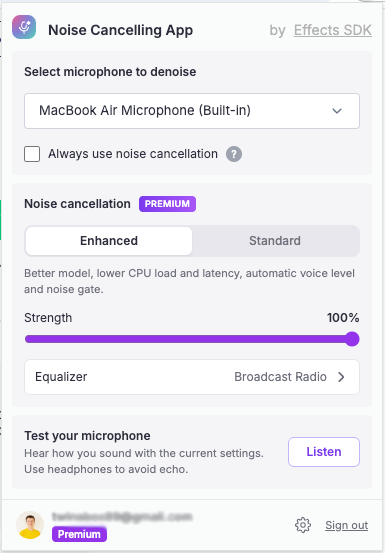
4. Use "Test your microphone" in the extension to hear how you sound (use headphones to avoid echo).
5. Refresh the page or rejoin the meeting.

Hai bisogno di assistenza o hai suggerimenti?
Il nostro team di supporto è qui per aiutarti! Contattaci a [email protected]