
Camera Picture In Picture (PIP Overlay)
Productivity
Browser Tools
Online Meetings
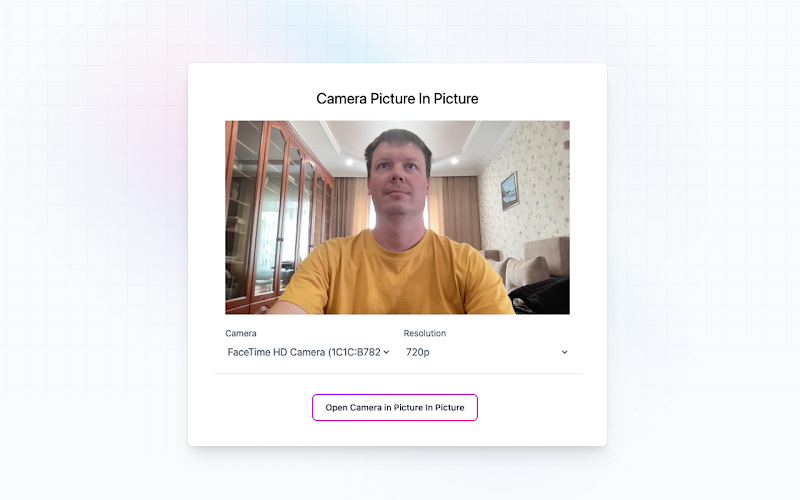
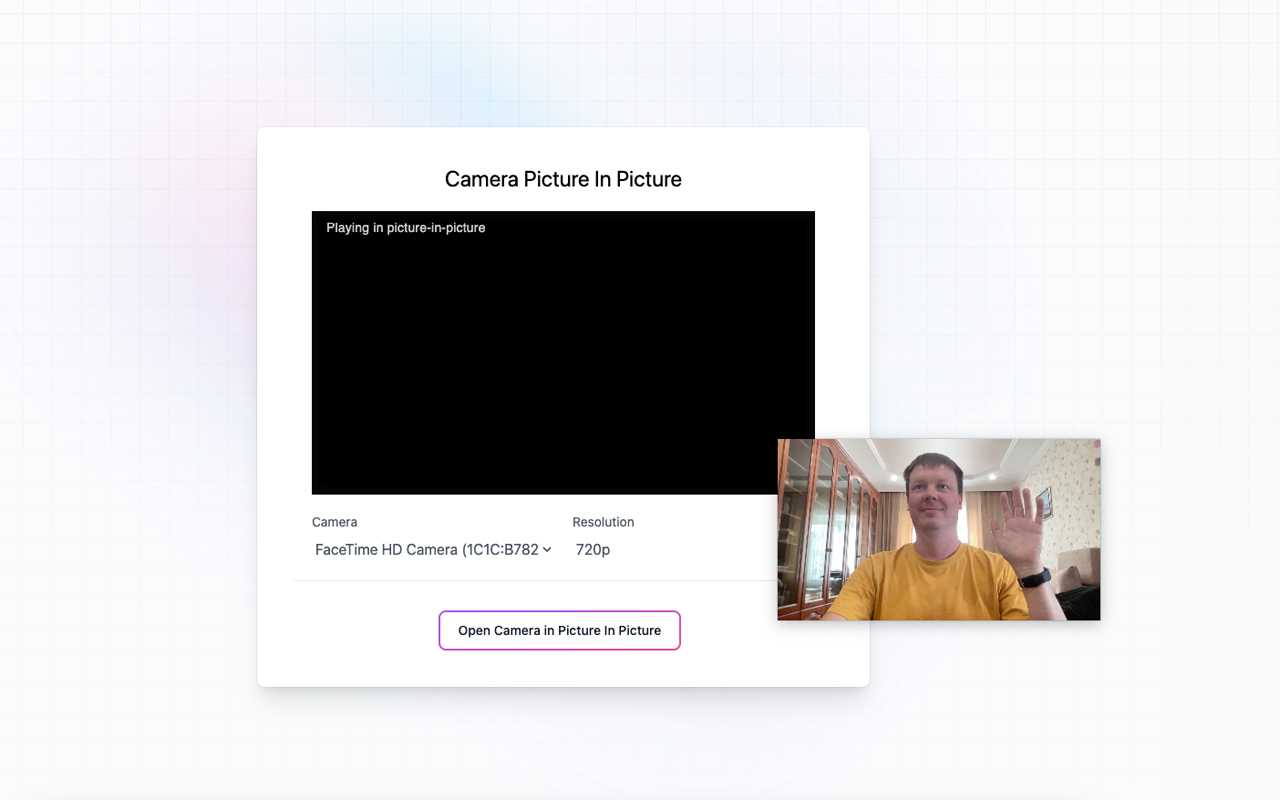
Put your camera on top of any other applications in picture-in-picture mode
✨ Quick and simple camera overlay – use PIP mode in seconds
- Open your webcam video in picture-in-picture mode with one click.
- No need for complicated desktop software, just use your browser.
- Configure the camera and resolution.
- Control the position and size of the camera overlay.
- Apply additional effects.
- No ads, and it respects your privacy.
- Easy to use.
- Install the extension by clicking the "Add to Chrome" button.
- Click the extension icon.
- Configure the camera and resolution.
- Open your video or any page and enable picture-in-picture mode.
🔥 Put your camera on top of everything – install now!
🌐 Share with friends who need a camera overlay.
 AI Webcam Effects
Improves camera quality, adds 15+ visual effects and filters and allows screen or live video recording
 Help Me Write AI
Automate work with LLMs using configurable contexts, prompts, and recipes
 Noise Cancelling App
AI mic noise cancellation for calls, streams, and recording. Share with friends to enjoy clear sound in every conversation!
It is very nice. It would be great if we could resize it freely without keeping the aspect ratio fix.

Nov 29, 2025
Exactly what it says it does

Oct 19, 2025